

6: Filter tasks
In this step, you will filter your tasks by status and show the number of pending tasks.
6.1: Reactive State
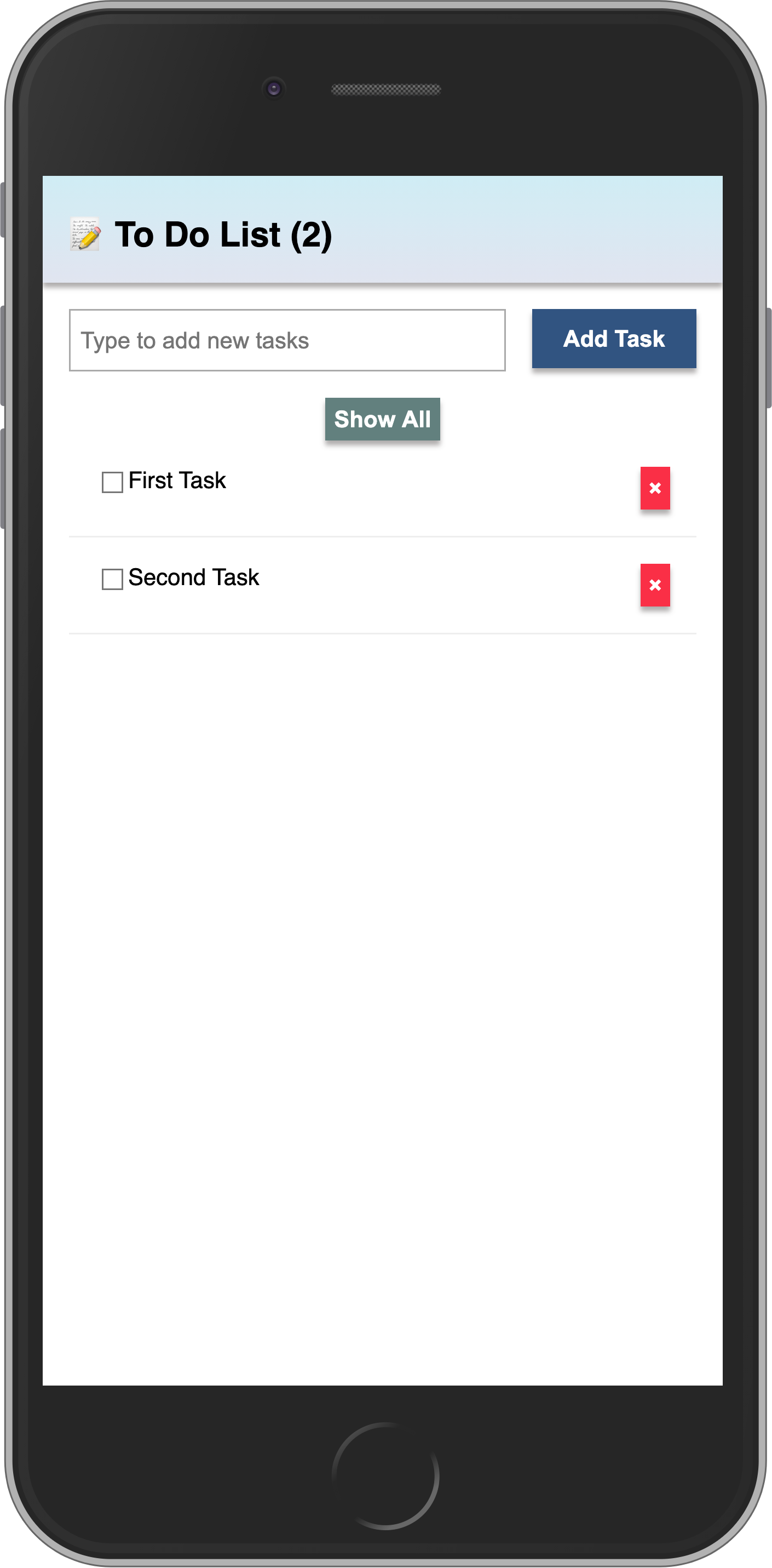
First, you will add a button to show or hide the completed tasks from the list.
In Svelte, we can manage component state using reactive variables directly in the <script> tag. Svelte's reactivity will automatically update the UI when the state changes.
We'll add a hideCompleted variable to the App.svelte component and a function to toggle it.
<script>
  import { Meteor } from "meteor/meteor";
  import { TasksCollection } from "../api/TasksCollection";
  import "/imports/api/TasksMethods";
  import Task from "./Task.svelte";

  let newTask = '';
  let hideCompleted = false;

  async function addTask(event) {
    event.preventDefault();
    if (newTask.trim()) {
      await Meteor.callAsync("tasks.insert", {
        text: newTask,
        createdAt: new Date(),
      });
      newTask = '';
    }
  }

  function toggleHideCompleted() {
    hideCompleted = !hideCompleted;
  }

  // Reactive state
  let handle;
  let subIsReady = false;
  let tasks = [];

  let computation;

  onMount(() => {
    handle = Meteor.subscribe("tasks");

    computation = Tracker.autorun(() => {
      subIsReady = handle.ready();
      tasks = TasksCollection.find({}, { sort: { createdAt: -1, _id: -1 } }).fetch();
    });

    return () => {
      computation?.stop?.();
      handle?.stop?.();
    };
  });

  onDestroy(() => {
    computation?.stop?.();
    handle?.stop?.();
  });
</script>

<!-- markup will be updated in next steps -->
Then, add the button in the markup to toggle the state:
<!-- ... script remains the same -->

<div class="app">
  <header>
    <div class="app-bar">
      <div class="app-header">
        <h1>📝️ Todo List</h1>
      </div>
    </div>
  </header>

  <div class="main">
    <form class="task-form" on:submit={addTask}>
      <input type="text" placeholder="Type to add new tasks" bind:value={newTask} />
      <button type="submit">Add Task</button>
    </form>

    <div class="filter"> <!-- // -->
      <button on:click={toggleHideCompleted}> <!-- // -->
        {#if hideCompleted} <!-- // -->
          Show All <!-- // -->
        {:else} <!-- // -->
          Hide Completed <!-- // -->
        {/if} <!-- // -->
      </button> <!-- // -->
    </div> <!-- // -->

    <ul class="tasks">
      {#if subIsReady}
        {#each tasks as task (task._id)}
          <Task {task} />
        {/each}
      {:else}
        <div>Loading ...</div>
      {/if}
    </ul>
  </div>
</div>
You may notice we’re using {#if} (a conditional block) for the button text. You can learn more about Svelte's conditional rendering here.
6.2: Button style
You should add some style to your button so it does not look gray and without a good contrast. You can use the styles below as a reference:
.filter {
  display: flex;
  justify-content: center;
}

.filter > button {
  background-color: #62807e;
}
6.3: Filter Tasks
Now, update the reactive tasks fetch to apply the filter if hideCompleted is true. We'll also add a reactive variable for the incomplete count.
<script>
  import { Meteor } from "meteor/meteor";
  import { Tracker } from "meteor/tracker";
  import { onMount, onDestroy } from "svelte";
  import { TasksCollection } from "../api/TasksCollection";
  import "/imports/api/TasksMethods";
  import Task from "./Task.svelte";

  let newTask = '';
  let hideCompleted = false;

  async function addTask(event) {
    event.preventDefault();
    if (newTask.trim()) {
      await Meteor.callAsync("tasks.insert", {
        text: newTask,
        createdAt: new Date(),
      });
      newTask = '';
    }
  }

  function toggleHideCompleted() {
    hideCompleted = !hideCompleted;
  }

  // Reactive state
  let handle;
  let subIsReady = false;
  let tasks = [];
  let incompleteCount = 0;

  let computation;

  $: incompleteDisplay = incompleteCount > 0 ? `(${incompleteCount})` : '';

  onMount(() => {
    handle = Meteor.subscribe("tasks");

    computation = Tracker.autorun(() => {
      subIsReady = handle.ready();

      // Reactive tasks with filter
      tasks = TasksCollection.find(
        hideCompleted ? { isChecked: { $ne: true } } : {},
        { sort: { createdAt: -1, _id: -1 } }
      ).fetch();

      // Reactive incomplete count
      incompleteCount = TasksCollection.find({ isChecked: { $ne: true } }).count();
    });

    return () => {
      computation?.stop?.();
      handle?.stop?.();
    };
  });

  onDestroy(() => {
    computation?.stop?.();
    handle?.stop?.();
  });
</script>

<!-- markup remains the same -->
6.4: Meteor Dev Tools Extension
You can install an extension to visualize the data in your Mini Mongo.
Meteor DevTools Evolved will help you to debug your app as you can see what data is on Mini Mongo.
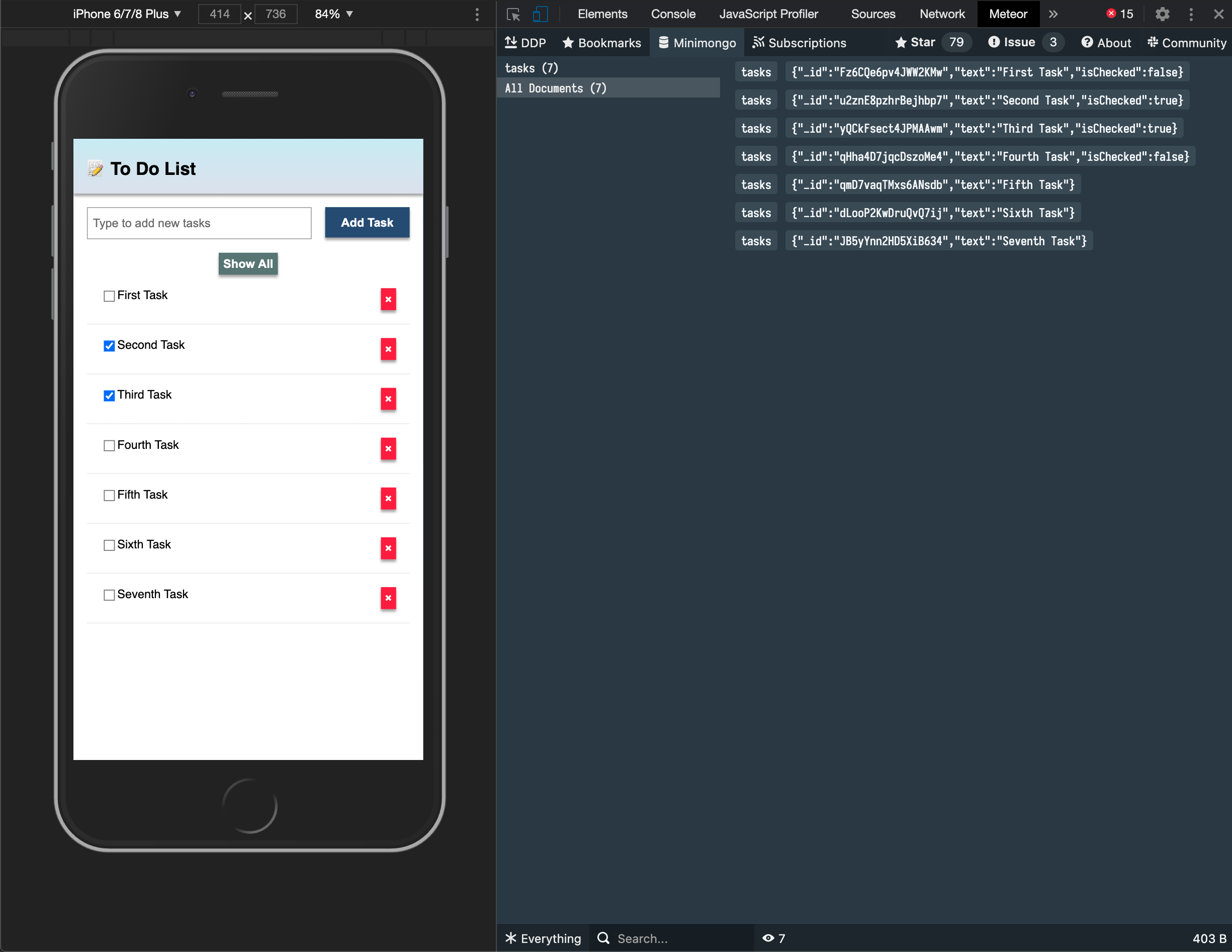
You can also see all the messages that Meteor is sending and receiving from the server, this is useful for you to learn more about how Meteor works.
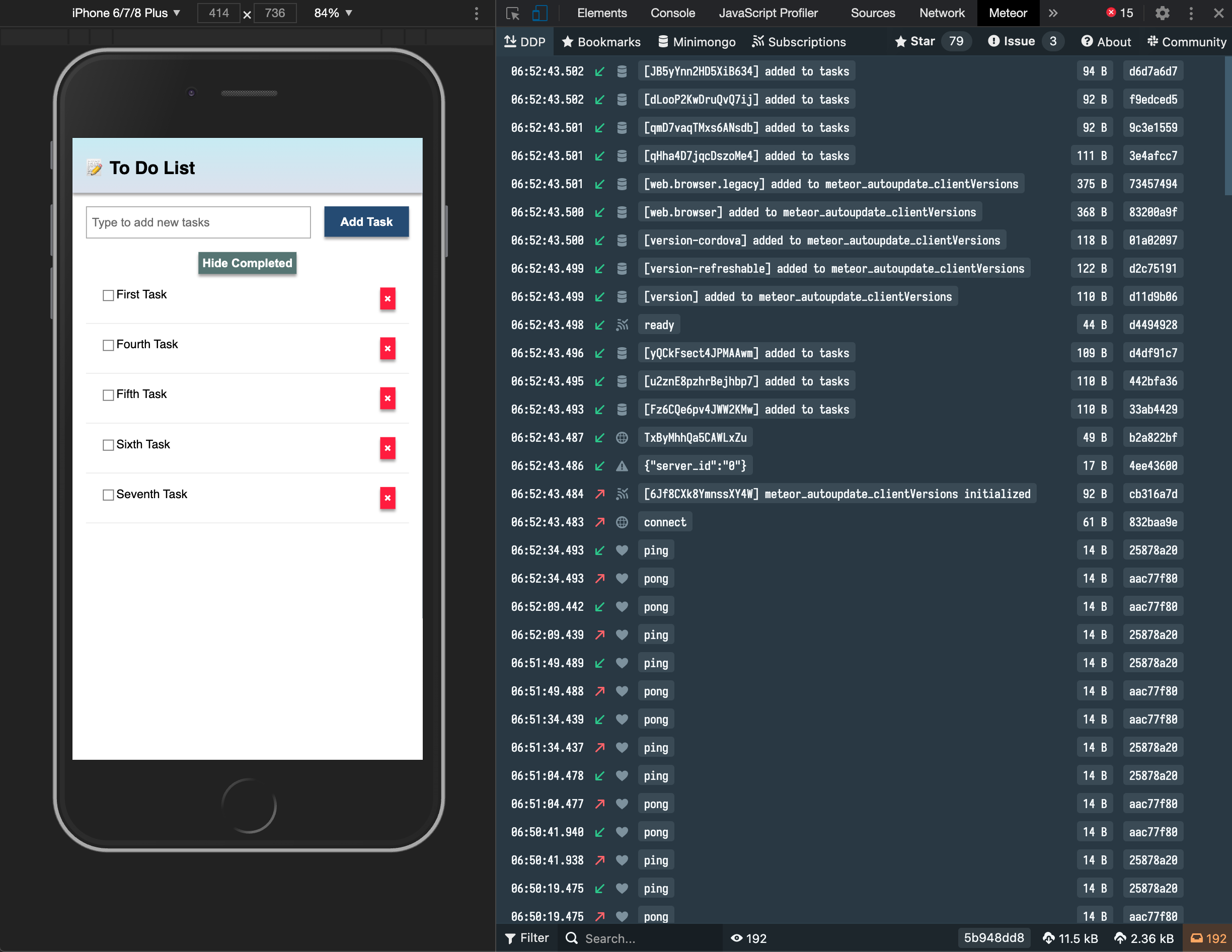
Install it in your Google Chrome browser using this link.
6.5: Pending tasks
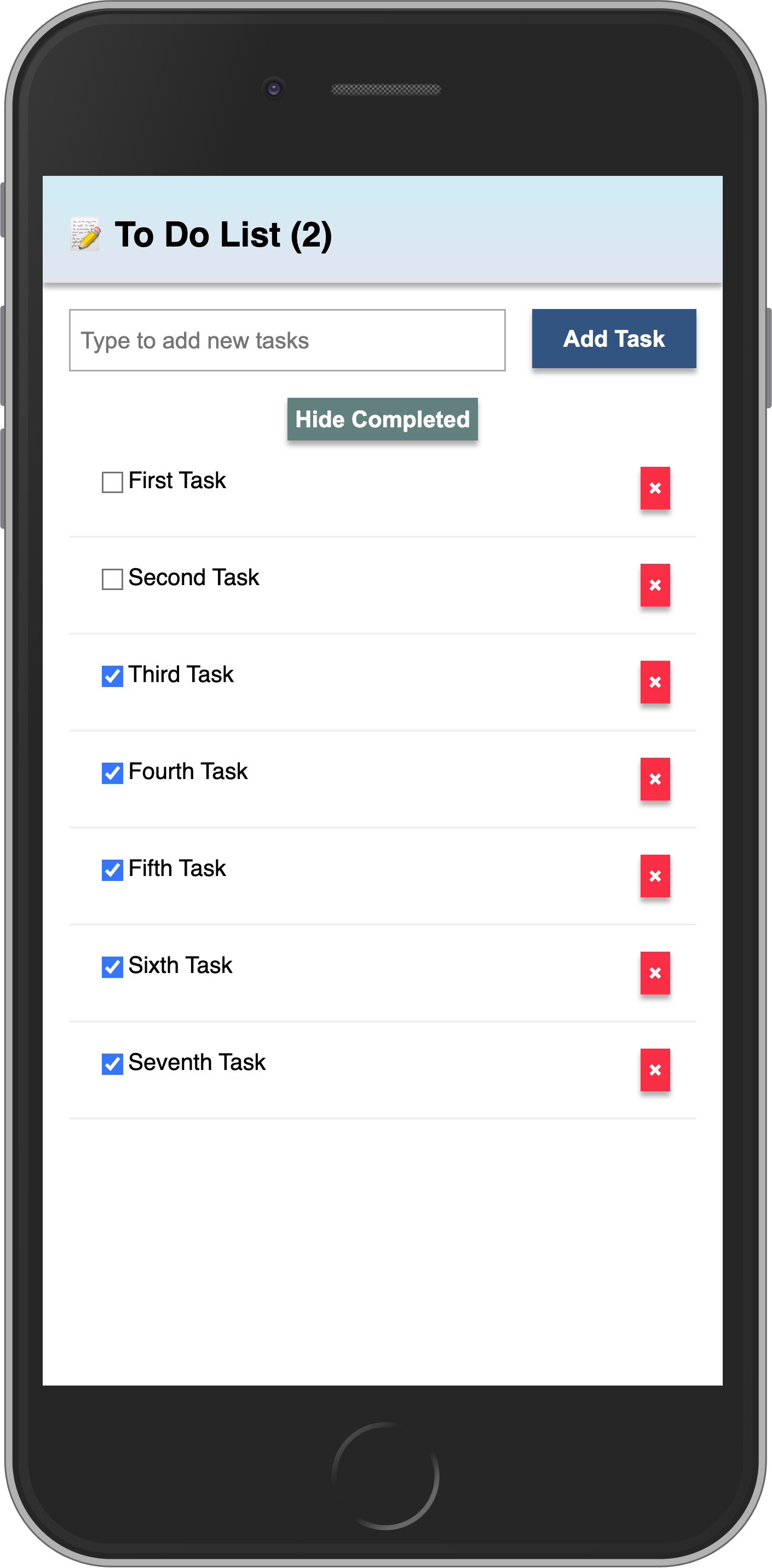
Update the App component in order to show the number of pending tasks in the app bar.
You should avoid adding zero to your app bar when there are no pending tasks. Use the reactive incompleteDisplay in the header:
<!-- ... script with incompleteDisplay remains the same -->

<div class="app">
  <header>
    <div class="app-bar">
      <div class="app-header">
        <h1>📝️ To Do List {incompleteDisplay}</h1> <!-- // -->
      </div>
    </div>
  </header>

  <!-- rest of markup -->
</div>
Your app should look like this:
In the next step we are going to include user access in your app.