

6: Filter tasks
In this step, you will filter your tasks by status and show the number of pending tasks.
6.1: Reactive State
First, you will add a button to show or hide the completed tasks from the list.
In Solid, we manage component state using signals for reactivity. Solid's fine-grained reactivity will automatically update the UI when the state changes.
We'll add a hideCompleted variable to the App.jsx component and a function to toggle it.
import { createSignal, For, Show } from "solid-js";
import { Meteor } from "meteor/meteor";
import { Tracker } from "meteor/tracker";
import { TasksCollection } from "../api/TasksCollection";
import { Task } from "./Task.jsx";

export const App = () => {
  const [newTask, setNewTask] = createSignal('');
  const [hideCompleted, setHideCompleted] = createSignal(false);

  const addTask = async (event) => {
    event.preventDefault();
    if (newTask().trim()) {
      await Meteor.callAsync("tasks.insert", {
        text: newTask(),
        createdAt: new Date(),
      });
      setNewTask('');
    }
  };

  const toggleHideCompleted = () => {
    setHideCompleted(!hideCompleted());
  };

  const subscription = Meteor.subscribe("tasks");
  const [isReady, setIsReady] = createSignal(subscription.ready());
  const [tasks, setTasks] = createSignal([]);

  Tracker.autorun(async () => {
    setIsReady(subscription.ready());
    setTasks(await TasksCollection.find({}, { sort: { createdAt: -1, _id: -1 } }).fetchAsync());
  });

  // markup will be updated in next steps
};
Then, add the button in the markup to toggle the state:
// ... javascript above remains the same

return (
  <div class="app">
    <header>
      <div class="app-bar">
        <div class="app-header">
          <h1>📝️ Todo List</h1>
        </div>
      </div>
    </header>

    <div class="main">
      <form class="task-form" onSubmit={addTask}>
        <input
          type="text"
          placeholder="Type to add new tasks"
          value={newTask()}
          onInput={(e) => setNewTask(e.currentTarget.value)}
        />
        <button type="submit">Add Task</button>
      </form>

      <div class="filter"> // [!code highlight]
        <button onClick={toggleHideCompleted}> // [!code highlight]
          <Show
            when={hideCompleted()}
            fallback="Hide Completed"
          > // [!code highlight]
            Show All // [!code highlight]
          </Show> // [!code highlight]
        </button> // [!code highlight]
      </div> // [!code highlight]

      <Show
        when={isReady()}
        fallback={<div>Loading ...</div>}
      >
        <ul class="tasks">
          <For each={tasks()}>
            {(task) => (
              <Task task={task} />
            )}
          </For>
        </ul>
      </Show>
    </div>
  </div>
);
You may notice we’re using <Show> for the button text. You can learn more about Solid's conditional rendering here.
6.2: Button style
You should add some style to your button so it does not look gray and without a good contrast. You can use the styles below as a reference:
.filter {
  display: flex;
  justify-content: center;
}

.filter > button {
  background-color: #62807e;
}
6.3: Filter Tasks
Now, update the reactive tasks fetch to apply the filter if hideCompleted is true. We'll also add a reactive signal for the incomplete count using another Tracker.autorun.
import { createSignal, For, Show } from "solid-js";
import { Meteor } from "meteor/meteor";
import { Tracker } from "meteor/tracker";
import { TasksCollection } from "../api/TasksCollection";
import { Task } from "./Task.jsx";

export const App = () => {
  const [newTask, setNewTask] = createSignal('');
  const [hideCompleted, setHideCompleted] = createSignal(false);

  const addTask = async (event) => {
    event.preventDefault();
    if (newTask().trim()) {
      await Meteor.callAsync("tasks.insert", {
        text: newTask(),
        createdAt: new Date(),
      });
      setNewTask('');
    }
  };

  const toggleHideCompleted = () => {
    setHideCompleted(!hideCompleted());
  };

  const subscription = Meteor.subscribe("tasks");
  const [isReady, setIsReady] = createSignal(subscription.ready());
  const [tasks, setTasks] = createSignal([]);

  Tracker.autorun(async () => {
    setIsReady(subscription.ready());
    const query = hideCompleted() ? { isChecked: { $ne: true } } : {};
    setTasks(await TasksCollection.find(query, { sort: { createdAt: -1, _id: -1 } }).fetchAsync());
  });

  // Reactive incomplete count //
  const [incompleteCount, setIncompleteCount] = createSignal(0);
  Tracker.autorun(async () => {
    setIncompleteCount(await TasksCollection.find({ isChecked: { $ne: true } }).countAsync());
  });

  // markup remains the same
};
6.4: Meteor Dev Tools Extension
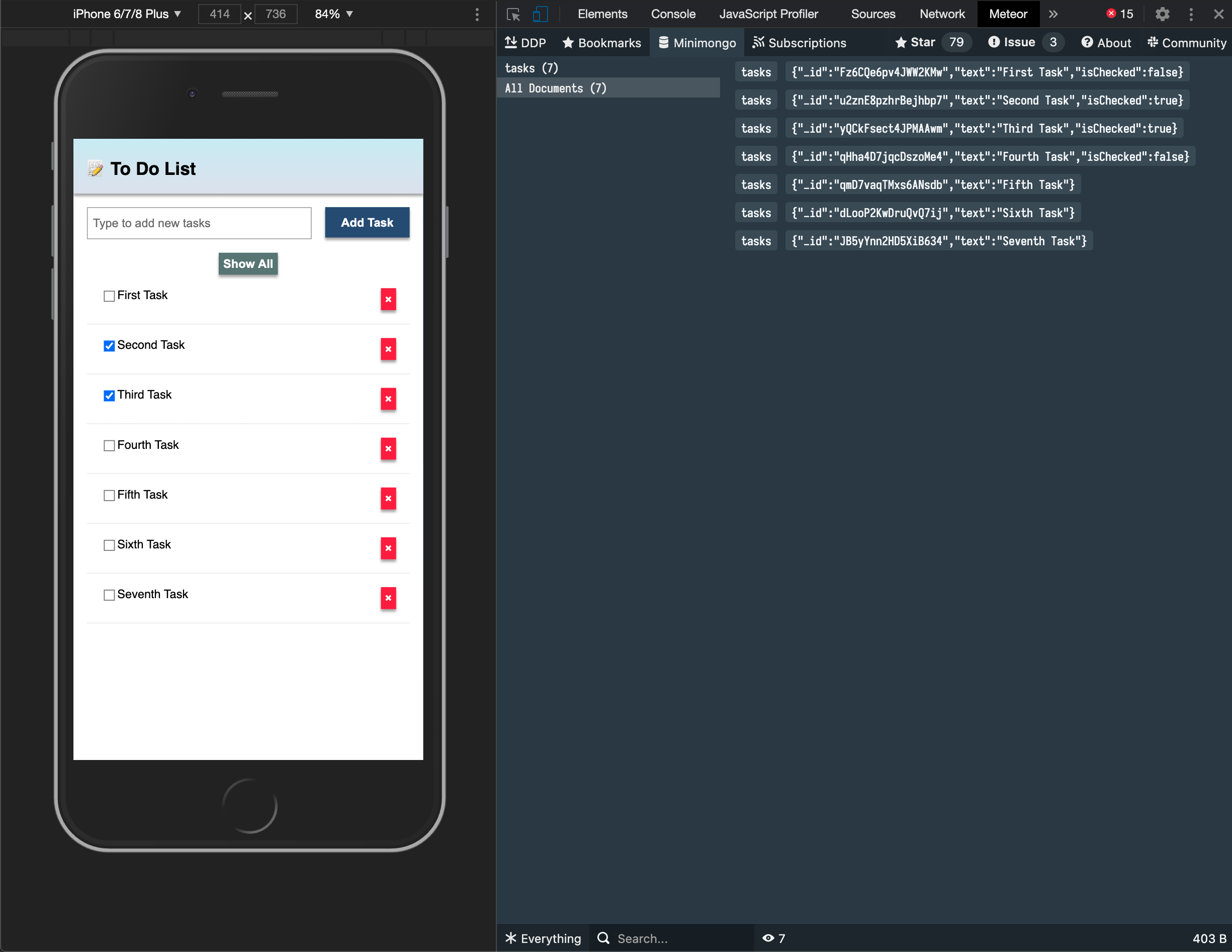
You can install an extension to visualize the data in your Mini Mongo.
Meteor DevTools Evolved will help you to debug your app as you can see what data is on Mini Mongo.
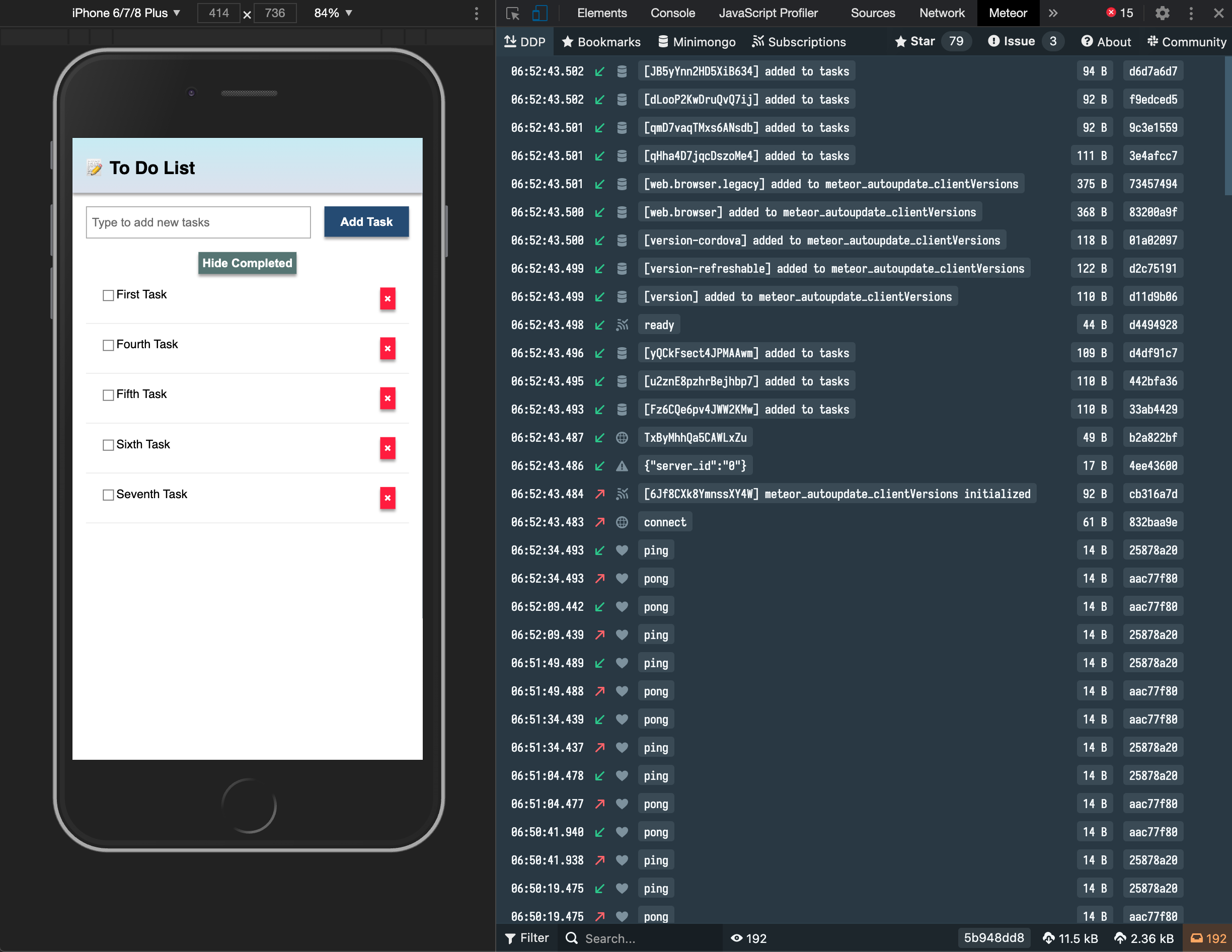
You can also see all the messages that Meteor is sending and receiving from the server, this is useful for you to learn more about how Meteor works.
Install it in your Google Chrome browser using this link.
6.5: Pending tasks
Update the App component in order to show the number of pending tasks in the app bar.
You should avoid adding zero to your app bar when there are no pending tasks. Use the reactive incompleteCount in the header:
// ... javascript with incompleteCount remains the same

return (
  <div class="app">
    <header>
      <div class="app-bar">
        <div class="app-header">
          <h1>📝️ To Do List {incompleteCount() > 0 ? `(${incompleteCount()})` : ''}</h1> // [!code highlight]
        </div>
      </div>
    </header>

    // rest of markup
  </div>
);
6.6: Make the Hide/Show toggle work
If you try the Hide/Show completed toggle button you'll see that the text changes but it doesn't actually do anything to the list of tasks. The toggle button isn't triggering the expected filtering because the hideCompleted signal (from Solid) isn't integrated with Meteor's Tracker reactivity system. Tracker.autorun only re-runs when its internal dependencies (like subscription data or ReactiveVars) change—not when Solid signals change. So, updating hideCompleted via setHideCompleted changes the button text (via Solid's <Show>), but it doesn't re-execute the autorun to update the query and re-fetch tasks.
This is a common challenge when bridging Solid's fine-grained reactivity with Meteor's Tracker. I'll explain the fix below with minimal changes to your code.
To make Tracker react to changes in hideCompleted, we'll use Meteor's ReactiveVar to hold the filter state. This makes the value reactive within Tracker, so the autorun re-runs automatically when it changes. We'll sync it with your Solid signal for the UI.
Add this import at the top of App.jsx
import { ReactiveVar } from 'meteor/reactive-var';Initialize a ReactiveVar and use a Solid createEffect to keep it in sync with your hideCompleted signal. Update your App component like this:
Add this import at the top of App.jsx
...
import { createSignal, For, Show, createEffect } from "solid-js"; // Updated import
...

export const App = () => {
  const [newTask, setNewTask] = createSignal('');
  const [hideCompleted, setHideCompleted] = createSignal(false);

  // New: ReactiveVar for Tracker integration
  const hideCompletedVar = new ReactiveVar(false);

  // New: Sync Solid signal to ReactiveVar (triggers Tracker re-run) //
  createEffect(() => {
    hideCompletedVar.set(hideCompleted());
  });

  const addTask = async (event) => {
    event.preventDefault();
    if (newTask().trim()) {
      await Meteor.callAsync("tasks.insert", {
        text: newTask(),
        createdAt: new Date(),
      });
      setNewTask('');
    }
  };

  const toggleHideCompleted = () => {
    setHideCompleted(!hideCompleted());
  };

  const subscription = Meteor.subscribe("tasks");
  const [isReady, setIsReady] = createSignal(subscription.ready());
  const [tasks, setTasks] = createSignal([]);

  Tracker.autorun(async () => {
    setIsReady(subscription.ready());
    // Use ReactiveVar in the query for Tracker reactivity //
    const query = hideCompletedVar.get() ? { isChecked: { $ne: true } } : {};
    setTasks(await TasksCollection.find(query, { sort: { createdAt: -1, _id: -1 } }).fetchAsync());
  });

  // Reactive incomplete count (unchanged)
  const [incompleteCount, setIncompleteCount] = createSignal(0);
  Tracker.autorun(async () => {
    setIncompleteCount(await TasksCollection.find({ isChecked: { $ne: true } }).countAsync());
  });

  // Return statement remains the same
  return (
    // ... your JSX here, unchanged
  );
};
Why this works:
ReactiveVarbridges the systems: When you togglehideCompleted(Solid signal), thecreateEffectupdates theReactiveVar. This invalidates and re-runs the Tracker.autorun, which re-fetches tasks with the updated query.- No major rewrites: Your existing signals and UI logic stay intact.
- Performance: Tracker handles the re-fetch efficiently, and Solid updates the UI via the
taskssignal.
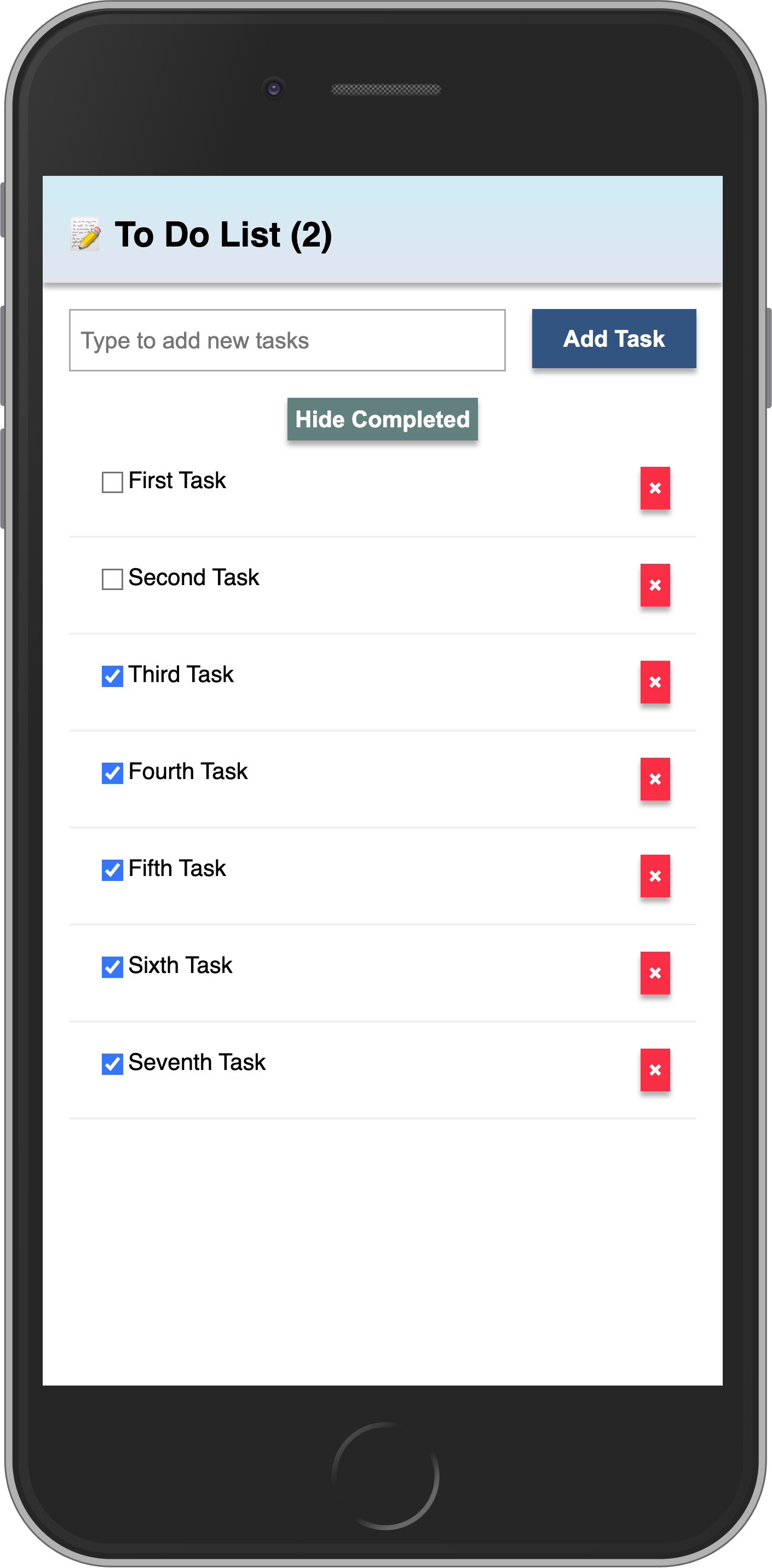
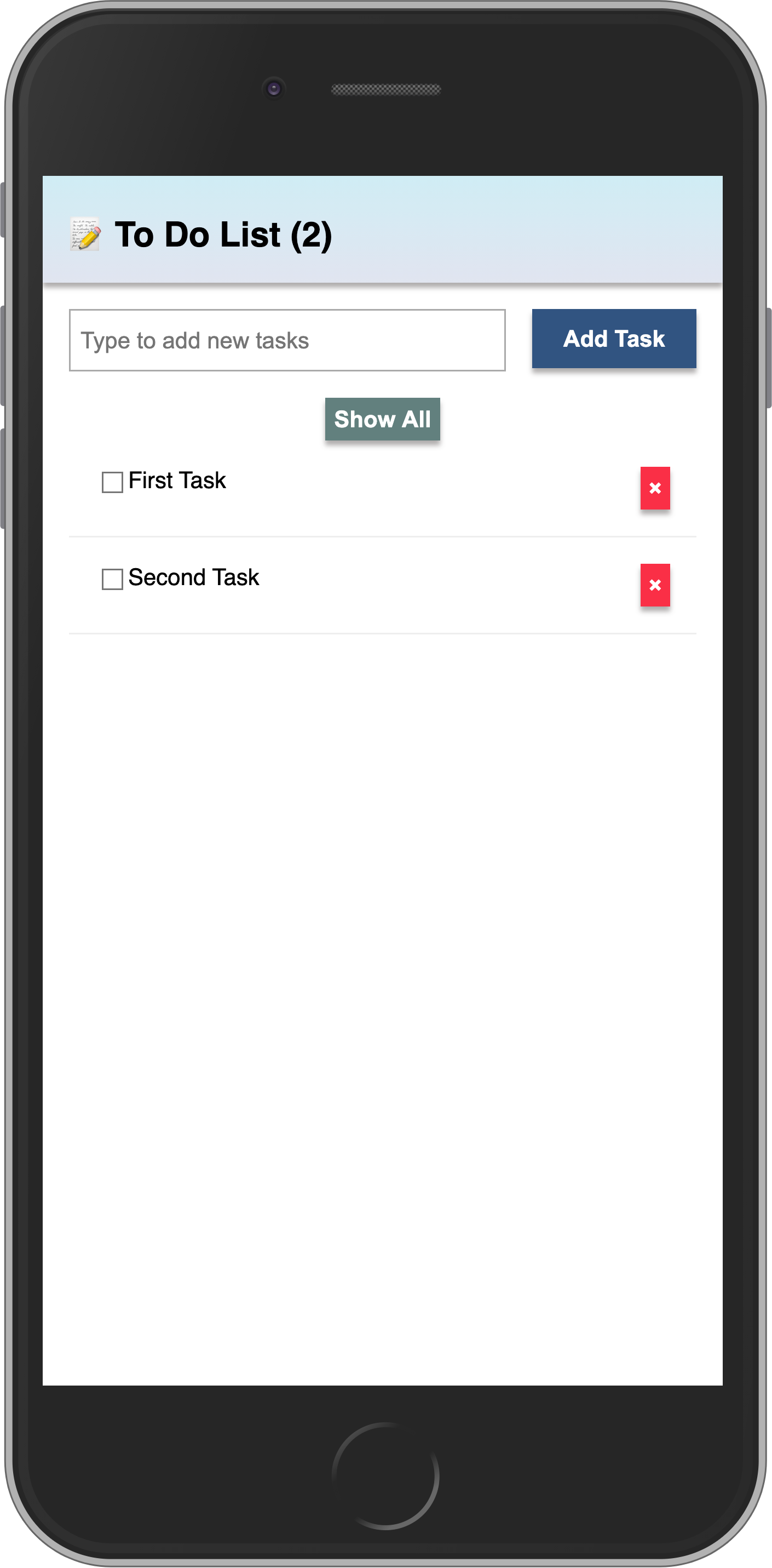
Your app should look like this:
In the next step we are going to include user access in your app.